Overview
SingleMail is the infrastructure your applications use to send email. Your app makes one request; SingleMail signs the email, queues it, sends it and tells you what happened.
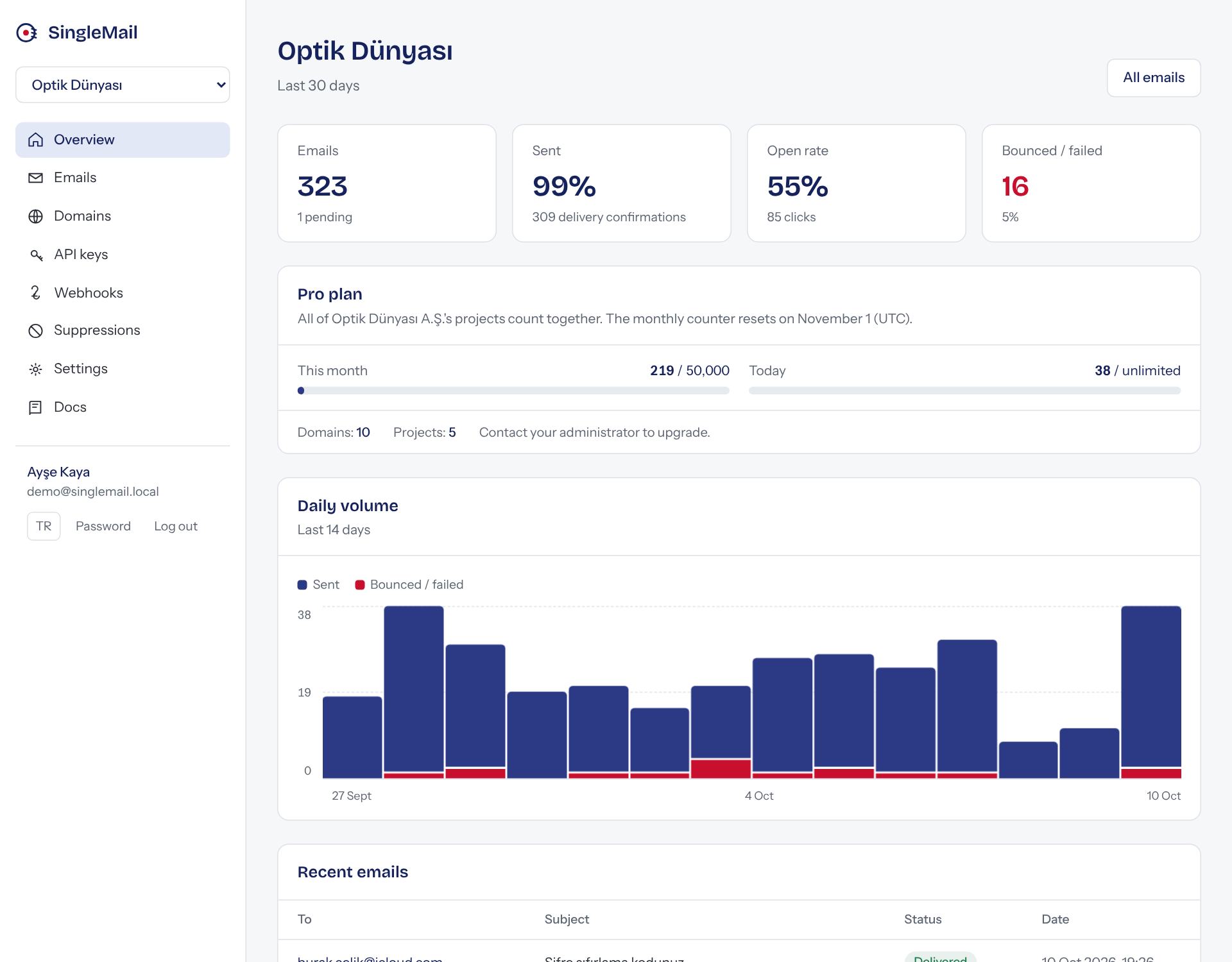
Where do I start?
Send your first emailSign up, add a domain, create a key and send your first email in 10 minutes.Customer panelLogs, domains, keys, webhooks and team members, screen by screen.IntegrationsExamples for Node.js, PHP, .NET, Laravel, WordPress, n8n and SMTP.WebhooksEvent types, signature verification and retries.
Key concepts
- Project: A space for one client or product. Domains, keys, logs and members belong to a project and are never shared between projects.
- Domain: The address you send from (e.g.
firma.com). It can't send until its DNS records are verified. - API key: Your application's credential.
sm_prefixed; it's the Bearer token for the REST API and the password for SMTP. - Event: Everything that happens to an email: sent, delivered, opened, clicked, bounced… Shown in the panel and pushed to you via webhooks.
Three ways to connect
All three land in the same queue and logs; pick whichever suits the project.
Node.js
await sm.emails.send({
  from: "App <no-reply@firma.com>",
  to: "ali@ornek.com",
  subject: "Merhaba",
  html: "<p>…</p>",
});
REST
POST https://api.singlemail.singleton.com.tr/emails
Authorization: Bearer sm_…
Content-Type: application/json

{ "from": "…", "to": "…",
  "subject": "…", "html": "…" }
SMTP
host: smtp.singlemail.singleton.com.tr
port: 2587
user: singlemail
pass: sm_…
For details see Integrations and API reference.